Understanding Personal Setup for Remote Collaboration
In today’s digital age, optimizing your personal setup for remote collaboration is crucial for maintaining productivity and fostering effective communication. This article delves into proven strategies and tools that can help you establish a workspace conducive to virtual teamwork and collaboration. With the right combination of technology and environment, remote work can become as seamless as traditional in-office work.
Essential Tools for a Seamless Remote Work Experience
A well-equipped workspace can significantly impact your efficiency. Below is a list of essential tools that contribute to an optimal personal setup for remote collaboration:
- High-Speed Internet: A reliable internet connection is the backbone of remote work. Ensure your bandwidth can support video calls and large file transfers. Imagine trying to engage in a critical meeting while your connection falters; this disrupts communication and can lead to misunderstandings.
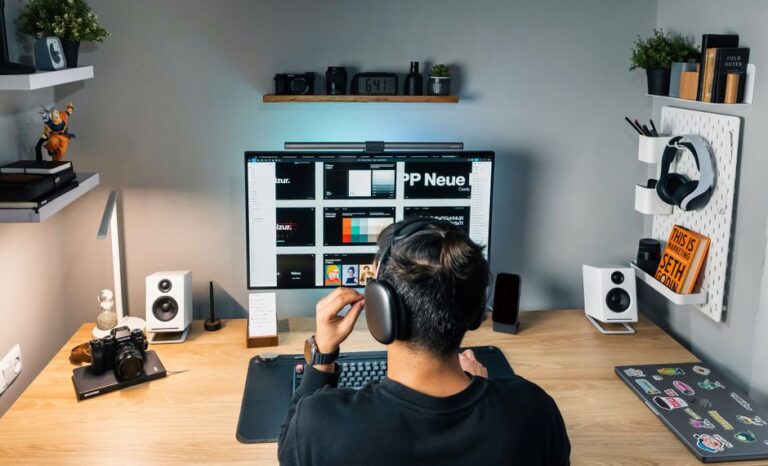
- Noise-Cancelling Headphones: These are invaluable for minimizing distractions during meetings and enhancing audio clarity. Picture yourself in a bustling household; effective headphones can help you focus and participate fully.
- High-Quality Webcam: Invest in a good webcam to improve your visibility during video conferences, which fosters better communication. High-definition video allows colleagues to see your expressions and body language, essential for effective interaction.
- Ergonomic Office Furniture: A comfortable chair and desk can enhance your productivity and well-being. Working long hours in an uncomfortable position can lead to fatigue and disrupt your work efficiency.
- Cloud Storage Solutions: Utilize services like Google Drive or Dropbox for easy access and sharing of files. Having all your documents readily available promotes smoother collaboration with your team, reducing delays in workflows.
Setting Up a Dedicated Workspace
A dedicated workspace can help you separate work from personal life, which is vital in a remote setting. To create an ideal environment, consider the following:
- Choose the Right Location: Select a quiet space with minimal distractions. Natural light can also boost your mood and productivity. Think about how your surroundings can energize or demotivate you; a well-lit, tidy space inspires you to be productive.
- Keep it Organized: Clutter can be a distraction. Maintain a tidy workspace to enhance focus. A clean environment not only improves your ability to concentrate but also contributes to a clear mindset.
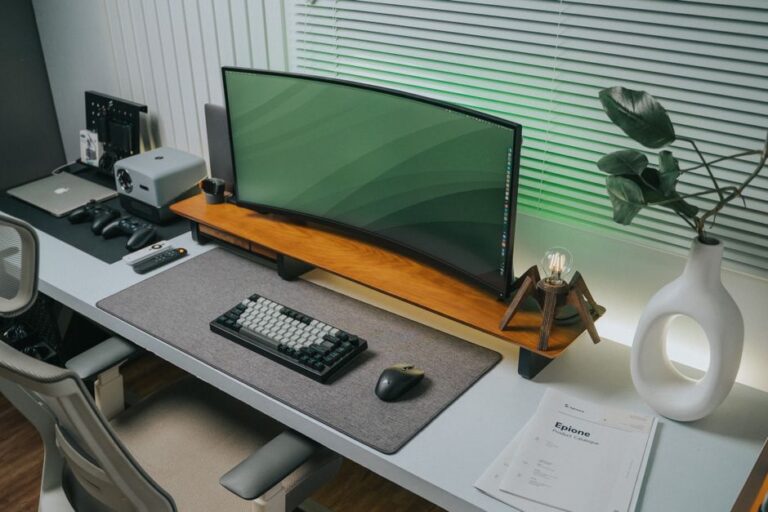
- Personalize Your Setup: Add personal touches like plants or artwork to create a comfortable and inviting environment. Tailoring your workspace to reflect your personality can make long hours more enjoyable.
Optimal Communication Strategies for Remote Teams
Effective communication is crucial for collaboration. Here are some strategies to improve communication within your remote team:
- Regular Check-Ins: Schedule daily or weekly meetings to stay aligned with your team’s goals and progress. Regular updates help everyone understand where projects stand, reducing anxiety about uncertainty.
- Use Collaborative Tools: Leverage platforms like Slack, Microsoft Teams, or Zoom for instant messaging and video calls. These platforms can reduce email overload and foster a quicker response time among team members.
- Set Clear Expectations: Clearly outline roles, responsibilities, and deadlines for each team member to ensure accountability. Doing so creates a structured environment where everyone is aware of their contributions and timelines.
Best Practices for Virtual Meetings
Virtual meetings can enhance collaboration when conducted effectively. Follow these best practices:
- Prepare an Agenda: Share an agenda ahead of time to keep meetings focused and productive. An agenda acts as a roadmap for the discussion, preventing tangents that waste time.
- Encourage Participation: Foster an inclusive environment where team members feel comfortable sharing their ideas. Creating a welcoming atmosphere ensures diverse contributions, enhancing the quality of decision-making.
- Record Meetings: Recording meetings allows team members to revisit discussions and ensures no one misses important information. This can be particularly beneficial for those unable to attend, as they can catch up without feeling out of the loop.
Maintaining Work-Life Balance in a Remote Setup
Creating a healthy work-life balance is essential for long-term productivity. Implement these strategies to maintain your well-being:
- Set Boundaries: Define specific work hours and communicate these to your colleagues to minimize interruptions. Boundaries help demarcate professional and personal time, reducing burnout.
- Take Regular Breaks: Short breaks can enhance focus and reduce fatigue. Consider the Pomodoro Technique for efficient time management. This method allows you to work intensely for 25 minutes, followed by a 5-minute break, keeping your mind fresh.
- Engage in Physical Activity: Incorporate movement into your day to boost energy levels and reduce stress. Whether it’s a quick stretching session or a short walk, physical activity rejuvenates your mind and body.
Frequently Asked Questions
What equipment do I need for remote collaboration?
Essential equipment includes a high-speed internet connection, noise-cancelling headphones, a quality webcam, and ergonomic furniture. Each piece is vital in building a conducive work environment.
How can I improve communication with my remote team?
Implement regular check-ins, use collaborative tools, and set clear expectations to improve communication. This structured approach encourages teamwork and efficiency.
What are some tips for effective virtual meetings?
Prepare an agenda, encourage participation, and record meetings to ensure efficiency and clarity. These practices streamline the process and foster collaboration.
How do I maintain a work-life balance while working remotely?
Set defined work hours, take regular breaks, and engage in physical activities to support a healthy work-life balance. Doing so protects your mental and physical health.
Is a home office necessary for remote work?
A dedicated home office can enhance productivity by providing a focused work environment, but it’s not strictly necessary. Find a space that works best for you, ensuring it suits your personal and professional needs.
Conclusion
In conclusion, establishing an effective personal setup for remote collaboration is key to overcoming the challenges of working from home. By utilizing the right tools, creating a conducive workspace, and implementing solid communication strategies, you can optimize your productivity and maintain clear connections with your team. Balancing work and life is equally crucial, ensuring that you remain engaged and motivated without compromising your well-being. Embrace these insights and transform your remote work experience.
Are you ready to transform your remote work setup? Start today by evaluating your current workspace and implementing these strategies for a more engaging and productive environment.