Introduction to Home Office Optimization
As remote work becomes increasingly common, optimizing your home office for comfort and productivity has never been more important. With the right setup, you can enhance your focus, reduce fatigue, and create an environment that fosters creativity. In this comprehensive guide, we will explore effective strategies to optimize your home office, ensuring you have everything you need for maximum efficiency. We will delve into aspects such as ergonomics, layout, lighting, and personal touches that create a space where you feel both comfortable and inspired to work.
Choosing the Right Location for Your Home Office
The location of your home office plays a crucial role in your productivity and comfort. Here are key factors to consider when selecting the ideal spot:
- Natural Light: Position your desk near windows to benefit from natural light, which can boost your mood and energy levels. Consider how the sunlight moves throughout the day and adjust your setup to make the most of the available daylight.
- Quietness: Choose a location away from distractions such as loud appliances or high-traffic areas in your home. If possible, designate a space where you can close the door to minimize interruptions.
- Space: Ensure you have enough space for your desk, chair, and any additional equipment you might need. Think about your workflow and whether additional items like a printer or a filing cabinet should be accommodated without crowding the area.
Creating a Functional Layout
Once you’ve selected the right location, it’s time to create a functional layout that supports both comfort and productivity.
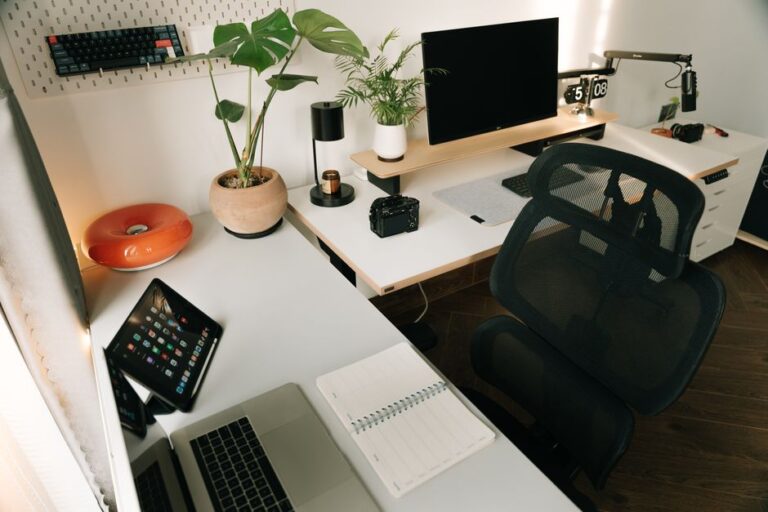
- Ergonomic Furniture: Invest in a comfortable chair and a desk at the right height to ensure you maintain good posture. Consider a chair that offers lumbar support or even a standing desk that allows for varying positions throughout the day.
- Decluttering: Keep only essential items on your desk to avoid distractions and improve focus. This can involve periodic assessments to determine what tools or items are truly necessary for your daily tasks.
- Organizational Tools: Use shelves, filing cabinets, and office organizers to keep your workspace tidy. Implementing labeled bins and folders can streamline the organization process, making it easier for you to find what you need.
Importance of Ergonomics in Your Home Office
Ergonomics is vital for ensuring your home office promotes both comfort and productivity. An ergonomic setup prevents strain and discomfort, which can lead to prolonged productivity. By focusing on how your physical space impacts your body, you can ensure that your setup minimizes discomfort and maximizes your output.
Choosing the Right Chair and Desk
Your chair and desk are the cornerstones of your ergonomic setup. Consider the following:
- Adjustability: Look for chairs and desks that can be adjusted to fit your body size and shape. Features like adjustable armrests, seat height, and backrest angles can significantly improve comfort.
- Support: Choose a chair with lumbar support to maintain the natural curve of your spine. This is especially essential for those who spend hours at their desks, as proper lumbar support can help you avoid back pain.
- Desk Height: Your desk should allow your elbows to be at a 90-degree angle while typing. If necessary, consider an adjustable desk that supports both sitting and standing positions to promote better posture.
Optimizing Screen Placement
Screen placement significantly affects your comfort during work hours. Keep these tips in mind:
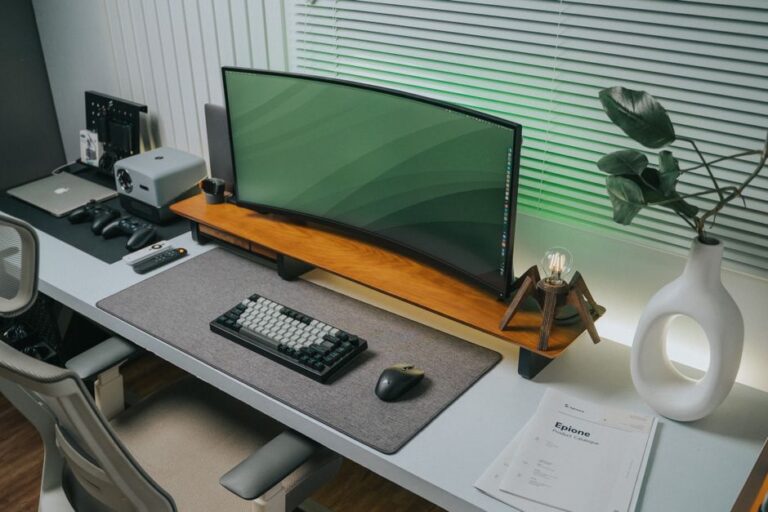
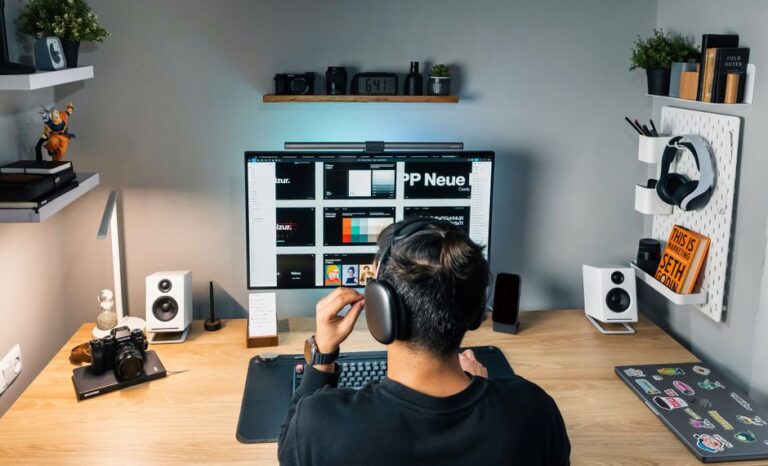
- Eye Level: Ensure your monitor’s top is at or just below eye level to reduce neck strain. This can involve using monitor stands or laptop risers for better alignment.
- Distance: Maintain a distance of 20 to 30 inches from your eyes to the screen. If you find yourself squinting often, it may be time to reassess your screen’s position or evaluate your vision.
- Multiple Screens: If using multiple monitors, position them side by side to avoid excessive head movement. Configure the screens in a way that allows you to easily shift your gaze without straining your neck.
Enhancing Focus with Environment and Personalization
Your home office environment can have a profound impact on your work output. Enhancing your space for focus involves both ambient conditions and personal touches. Creating a balanced environment allows for a workspace that is both functional and personally enjoyable, contributing to overall satisfaction and productivity.
Controlling Noise and Distractions
Noise can be a significant barrier to productivity. Consider these strategies:
- Noise-Cancelling Headphones: Use headphones to minimize distractions from outside noise. This is particularly useful in households with multiple occupants or pets.
- A Soft Background: Play soft, instrumental music to create a calming atmosphere that fosters concentration. Explore playlists designed for productivity to help capture your focus.
- Visual Distractions: Limit visual clutter by using neutral colors and keeping the area organized. Additionally, consider the placement of items that can easily divert your attention away from your tasks.
Personalizing Your Workspace
Personal touches can make your home office more inviting. Think about the following:
- Artwork: Incorporate inspiring artwork or photographs that motivate you. Choose pieces that resonate with your personal ethos and inspire you to stay productive.
- Plants: Add greenery to improve air quality and create a more relaxing environment. Research the best indoor plants for low-light conditions, as this can contribute to a vibrant and lively space.
- Personal Items: Use items that reflect your personality and make the space feel comfortable. This could be anything from a favorite mug to a quirky desk toy.
Regular Maintenance for Long-Term Productivity
To ensure your home office remains a productive environment, regular maintenance is essential. Implement these practices:
- Declutter Regularly: Schedule time weekly to organize your space and eliminate unnecessary items. Consider using this time to reassess your organizational system for effectiveness.
- Technology Checks: Ensure your technology is functioning correctly; update software and replace outdated equipment as needed. Keeping an eye on your tech health can prevent unexpected disruptions to your workflow.
- Comfort Assessments: Regularly assess your comfort levels and make adjustments to your setup as necessary. Ask yourself what is working and what might need a shift for better ergonomics or efficiency.
Frequently Asked Questions
What is the best height for a desk?
The ideal height for a desk generally ranges from 28 to 30 inches, allowing elbows to be at a 90-degree angle when seated. For standing desks, ensure the height allows for a comfortable straight arm position.
How often should I take breaks while working?
It is advisable to take a break every 60 to 90 minutes to stand, stretch, and refresh your mind. Implementing techniques like the Pomodoro method can help structure your work and breaks effectively.
What are some good plants for a home office?
Plants like peace lilies, snake plants, and pothos can improve air quality and create a calming atmosphere. Consider specific plants that thrive well indoors and require minimal care to suit your lifestyle.
How can I reduce glare on my computer screen?
Position your screen away from windows, use anti-glare screen protectors, and adjust the brightness settings to improve visibility. A matte screen finish can also help reduce glare significantly.
Should I use a standing desk?
A standing desk can be beneficial for those who prefer to change positions throughout the day. Consider alternating between sitting and standing for optimal comfort, ensuring your overall posture remains healthy.
Conclusion
In conclusion, optimizing your home office is an essential aspect of enhancing your work-from-home experience. By carefully selecting your location, investing in ergonomic furniture, personalizing your space, and maintaining regular organization, you create an environment that supports productivity and creativity. Each element contributes to a workspace tailored to your needs, fostering an atmosphere that not only encourages work but also nurtures well-being. With these strategies in place, you can achieve the perfect balance of comfort and efficiency in your home office.
Call to Action
Take the first step toward optimizing your home office today. Assess your current setup and identify areas for improvement. Make the necessary changes to create a workspace that inspires productivity and comfort. Your ideal home office awaits!