Essential Tools for Securing Your Personal Setup: A Comprehensive Guide to Digital Privacy

Public Wi-Fi networks have become a staple of modern life, providing a convenient way to connect to the internet in cafés, airports, and other public spaces. However, this convenience comes with substantial risks to personal data security. These networks are frequently unsecured, leaving them vulnerable to hacking, data breaches, and various cyber threats. As individuals connect to these open networks, they unwittingly expose their devices and sensitive information, including passwords, private messages, and even financial data, to potential dangers.
A substantial number of people use public Wi-Fi without understanding the inherent security vulnerabilities. Unencrypted connections, man-in-the-middle attacks, and rogue hotspots represent just a few common threats that users face. For example, a man-in-the-middle attack occurs when a hacker intercepts the communication between a user and a website, allowing them to capture sensitive information without the user’s knowledge. Thus, awareness of these risks is the first essential step toward protecting personal information in these less secure environments.
To mitigate the risks associated with public Wi-Fi, it is imperative to adopt a proactive approach toward personal data security. Here are several essential tips designed to enhance your protection while using public Wi-Fi.
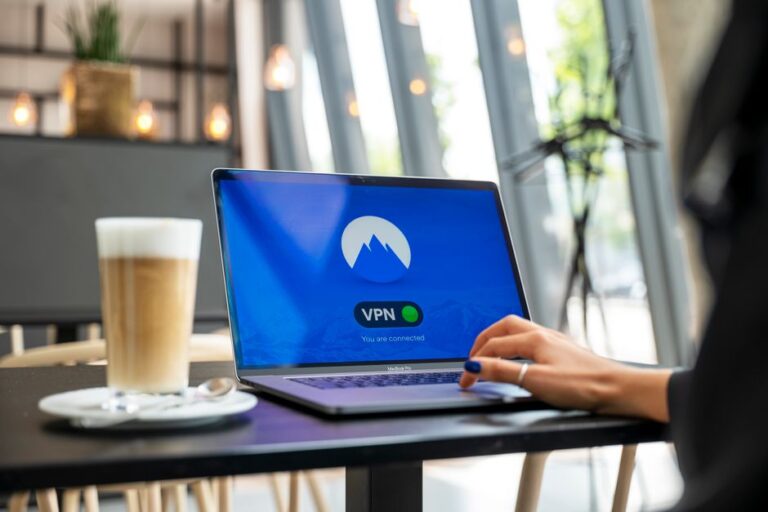
A Virtual Private Network (VPN) acts as a secure tunnel for your internet connection, encrypting your data and making it significantly more challenging for hackers to intercept. By utilizing a VPN, you ensure that your online activities remain private, even when connected to unsecured networks. This service is particularly beneficial in scenarios where public Wi-Fi is the only option. Key benefits of using a VPN include:
Before connecting to any public Wi-Fi, always take a moment to verify the network name with the establishment providing the service. Many hackers set up rogue hotspots with names similar to legitimate networks, tricking unsuspecting users. For example, a hacker may name their hotspot “CafeFreeWiFi” to mimic a genuine café network. Connecting to these counterfeit networks can expose your device to myriad security threats.
Your device settings can inadvertently expose your personal information to others on the same network. Turning off file sharing is a critical step in preventing unauthorized access to your data. To enhance your security, follow these steps:
Two-factor authentication (2FA) provides an additional layer of security for your online accounts. With 2FA enabled, even if someone obtains your password, they will require a secondary form of verification to access your account. This simple measure can significantly reduce the risk of unauthorized access and protect your sensitive information, providing peace of mind even when using public Wi-Fi.
Regularly updating your operating system, antivirus software, and applications is vital for maintaining optimal security. Software updates often include patches for known vulnerabilities and bugs, making it crucial to stay up to date. The importance of these updates cannot be overstated, as they:
Implementing best practices while using public Wi-Fi further protects your personal data. Here are effective strategies to keep in mind during your connection:
Whenever possible, refrain from conducting sensitive transactions, such as online banking or shopping, on public Wi-Fi. If you must access sensitive information, consider using your mobile data, as it provides a more secure connection.
Ensure that the websites you visit utilize HTTPS protocol. This guarantees that your browser is communicating securely with the site, safeguarding your data. Look for the padlock icon next to the URL in your browser’s address bar as a confirmation of this security measure.
After utilizing a public Wi-Fi network, it is prudent to “forget” it from your device settings. This action prevents your device from automatically reconnecting in the future without your consent, which could elevate your risks of exposure to unsecured connections.
The most secure method involves utilizing a reliable VPN, avoiding sensitive transactions, and ensuring that you connect only to legitimate networks.
While it is feasible to use public Wi-Fi without a VPN, it is highly discouraged due to increased security vulnerabilities. A VPN provides vital protection necessary for maintaining privacy in such situations.
Generally, it is not advisable to check emails on public Wi-Fi. If necessary, ensure that you use secure protocols and consider enabling 2FA on your email account for added security.
If you suspect that your data has been compromised, change your passwords immediately, enable two-factor authentication, and monitor your accounts for unauthorized activity to minimize risk.
While many public Wi-Fi networks pose significant risks, some may offer secure connections. Always verify a network’s legitimacy and take appropriate precautions before connecting.